
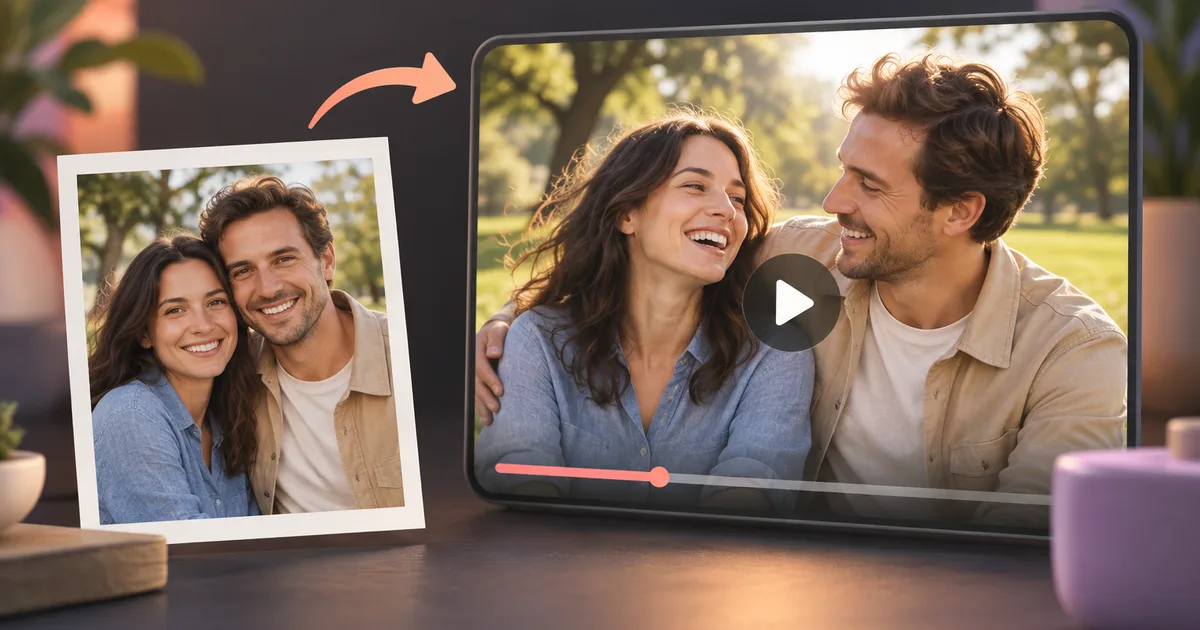
How to Create AI Kissing and Smooching Video Free - Best Methods 2026
Want to know how to create a kissing and smooching video with AI free? You are not alone. Millions of people are discovering that modern AI tools can turn a single photo into a heartfelt, cinematic romantic video in under a minute - at no cost. Whether you want to surprise a partner, create a fun social media post, or simply experiment with AI video technology, this complete guide walks you through every option available in 2026, compares the best free tools side by side, and gives you a step-by-step tutorial using the most capable free platform on the market.
What Are AI Kissing and Smooching Videos?
AI kissing and smooching videos are short romantic video clips generated entirely by artificial intelligence. You upload one or two photos of real people (or fictional characters), and the AI animates them with realistic lip movement, facial expression, and physical closeness to simulate a kiss or smooching moment.
The technology behind these tools combines several AI disciplines:
- Face detection and landmark mapping to identify lip, jaw, and eye positions
- Generative video models (similar to Stable Video Diffusion and Wan 2.1) to animate frames realistically
- Motion synthesis to create natural head tilt, soft focus blur, and gentle body movement
- Lip-sync rendering to ensure the animation looks physically plausible
The results can be surprisingly realistic. A well-prepared photo fed into a quality AI model can produce a 3-6 second clip that looks like genuine footage. These videos are widely used for anniversary surprises, Valentine's Day content, fan fiction, personalized greeting cards, and creative social media posts.
Comparison of Free AI Kissing Video Tools in 2026
Not all free tools are equal. Some limit video length, others add heavy watermarks, and a few require account registration before you can generate anything. The table below breaks down the most-used options so you can choose the right one for your needs.
| Tool | Free Tier | Video Length | Watermark | Login Required | Realistic Quality |
|---|---|---|---|---|---|
| AIKissVideo.app | Yes - free credits on signup | Up to 6 seconds | None | Optional | Very High |
| Deevid | Yes - limited | 3 seconds | Yes | Yes | Medium |
| Vidful | Yes - limited | 4 seconds | Yes | Yes | Medium |
| Reface | Partial free | 5 seconds | Yes | Yes | Medium-High |
| Artflow | No free kiss video | N/A | N/A | Yes | High |
| DeepSwap | Free trial only | 3 seconds | Yes | Yes | Medium |
Key takeaway: AIKissVideo stands out as the best free option because it offers no-watermark output, does not force account creation for basic use, and uses state-of-the-art video generation models that produce noticeably more realistic results than competitors. You can also read the full breakdown in our article on the Best Free AI Kiss Video Generator 2026.
Step-by-Step Tutorial: Create a Free AI Smooching Video with AIKissVideo
Follow these steps to generate your first free AI kissing and smooching video in under five minutes.
Step 1 - Go to AIKissVideo.app
Open your browser and navigate to AIKissVideo.app. No download or installation is required. The platform runs entirely in your browser and works on desktop, tablet, and mobile.
Step 2 - Choose Your Video Style
On the homepage, you will see several romantic video styles to choose from, including:
- The AI kiss effect, with options for single photo mode (one person) or dual photo mode (two people)
Select the mode that fits your intended use. Single photo mode works great for solo portraits, while dual photo mode lets you animate two people together. You can also try the AI French kiss video for a more passionate animation style.
Step 3 - Upload Your Photo
Click the upload button and select a clear, well-lit photo. For best results:
- Use a photo where the face is fully visible and not partially blocked
- Choose an image with neutral or soft background
- Ensure the face occupies at least 40% of the frame
If you want to animate two people kissing, upload a photo that clearly shows both faces. The AI will identify both subjects and animate them together.
Step 4 - Generate the Video
Click the "Generate" button. The AI will process your photo and return a video within 20-60 seconds depending on server load. You will see a real-time progress indicator.
Step 5 - Preview and Download
Once generated, preview the video directly in your browser. If you are satisfied with the result, click "Download" to save the MP4 file to your device. Free users receive the video without watermarks.
If the result is not quite right, you can regenerate with adjusted settings or try a different photo.
How to Get the Most Realistic Smooching Effect
The quality of your output depends heavily on inputs and settings. Here are the most effective techniques for getting photorealistic results.
Use high-resolution photos. AI models perform better when they have more facial detail to work with. A photo taken on a modern smartphone in good lighting is ideal. Avoid screenshots from video calls or low-resolution social media images.
Choose photos with relaxed, neutral expressions. Photos where the subject is smiling broadly or has an open mouth can confuse the AI's lip-mapping algorithm. A soft, closed-lip expression gives the AI the cleanest starting point for animating a kiss.
Avoid heavy filters and face-altering edits. Strong Snapchat or Instagram filters that reshape features can cause the AI to produce distorted animations. Use lightly edited or unfiltered photos when possible.
You can also explore the AI Kissing Picture Generator if you want a still image output first to preview how the AI will interpret your photo before committing to video generation.
Tips for Photo Selection and Preparation
The single biggest factor in output quality is photo quality. Here is a practical checklist before you upload.
- Lighting: Natural daylight or soft indoor lighting produces the most realistic skin tones. Avoid harsh flash or backlit photos.
- Angle: Straight-on or slight three-quarter angle works best. Extreme side profiles limit the AI's ability to animate the kiss convincingly.
- Resolution: Minimum 800x800 pixels is recommended. Higher is always better.
- Clothing and background: Busy backgrounds and bold patterns in clothing can sometimes bleed into the face animation. Simple, clean backgrounds give cleaner results.
- Multiple attempts: Try two or three different photos of the same person. Often one photo will produce a noticeably better result than others due to subtle differences the AI model favors.
How to Share Your AI Kissing Video on Social Media
Once you have downloaded your video, sharing it takes just a few steps across major platforms.
Instagram Reels and TikTok: Both platforms accept MP4 files up to 60 seconds. Upload directly from your camera roll. Add music from the platform's built-in library to enhance the romantic atmosphere. Short captions like "AI made this" or "technology is wild" tend to perform well as they invite curiosity and comments.
WhatsApp and Telegram: Send the MP4 file directly as a video attachment. These platforms compress videos, so starting with the highest quality download from AIKissVideo will preserve the most detail after compression.
Twitter/X: Upload as a video post rather than GIF for best quality. Keep captions short and direct.
YouTube Shorts: If you plan to create multiple AI kiss videos, compiling them into a YouTube Shorts series is an effective way to build an audience.
Always review platform community guidelines before posting. Most platforms permit clearly labeled AI-generated romantic content between consenting adults or fictional characters.
Free vs Paid Features: What You Actually Get
If you are deciding whether to stay on the free tier or upgrade, this comparison clarifies the practical differences.
| Feature | Free Tier | Paid Tier |
|---|---|---|
| Free credits on signup | Yes | Additional credits with plan |
| Watermark | None | None |
| HD quality output | HD 1080p | HD 1080p |
| Priority processing | Standard queue | Priority queue |
| Batch uploads | Single photo | Multiple photos |
| Commercial use license | Personal use | Full commercial license |
| Customer support | Community | Priority support |
For personal use, the free tier delivers everything most users need. The paid tier becomes worthwhile if you are producing content commercially, need longer videos, or require ultra-HD output for professional projects. Our detailed AI Kiss Video Generator Free vs Paid comparison covers the cost-benefit analysis in full.
Also worth knowing: AIKissVideo offers a no-login free experience, which is covered in our guide to Free AI Kiss Video Generator Without Login.
Privacy and Safety Considerations
Before generating AI kissing videos, it is important to understand the ethical and practical boundaries.
Only use photos of yourself or people who have explicitly consented. Creating AI romantic videos of real people without their knowledge or permission is unethical and potentially illegal in many jurisdictions. AIKissVideo's terms of service require users to confirm they have rights to the photos they upload.
Your photos are not stored permanently. AIKissVideo processes uploaded photos to generate the video and then deletes the source image from its servers. No facial recognition database is built from user uploads.
AI-generated content disclosure. When sharing on social media, consider adding a clear label such as "AI-generated" to maintain transparency with your audience. Several platforms are beginning to require this disclosure automatically.
Avoid uploading photos of minors. No romantic AI video generation should ever involve images of anyone under 18 years old, regardless of the context.
Following these principles ensures that AI kissing video technology remains a fun, creative tool rather than a source of harm.
Frequently Asked Questions
Is it really free to create AI kissing and smooching videos on AIKissVideo?
Yes. AIKissVideo offers free credits on signup with no watermarks. Free users receive credits upon registration, which is enough for personal use and experimentation.
How long does it take to generate an AI kiss video?
Generation typically takes between 20 and 60 seconds. During peak hours the queue may add a small wait, but most videos are ready in under two minutes.
Do I need two photos to create a kissing video?
Not always. AIKissVideo can work with a single photo and animate a kissing motion for one subject. For two-person kissing animations, uploading a photo that already shows both people together produces the most realistic results.
Can I use the generated videos commercially?
Free tier videos are licensed for personal use only. If you need to use the output in commercial projects, advertising, or monetized content, upgrading to a paid plan provides the appropriate commercial license.
What file format is the download?
All videos download as standard MP4 files, which are compatible with every major platform, device, and video editor.
Will the AI work with illustrated characters or anime-style art?
Yes. AIKissVideo handles illustrated faces, cartoon characters, and anime art as well as photorealistic portraits. Results vary by art style, but the tool generally performs well with clear, high-contrast character art.