
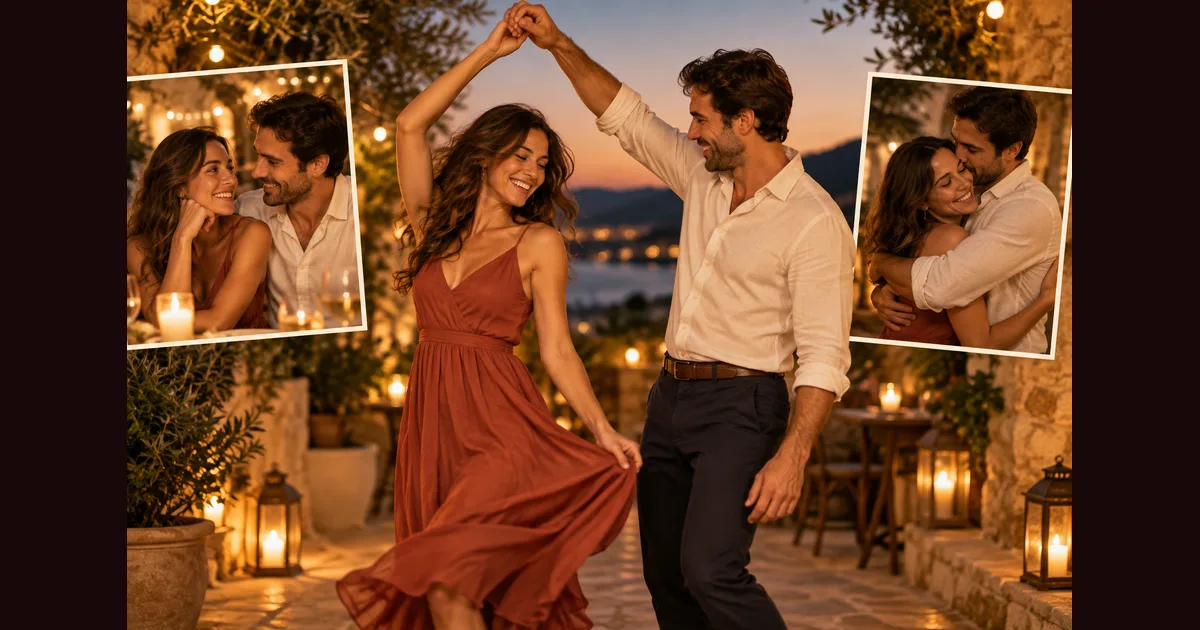
How to Make AI Couple Videos - Kiss, Hug & Dance Effects
Creating romantic AI couple videos has become one of the most popular trends on social media in 2026. Whether you want to commemorate special moments, create engaging content for your audience, or surprise your partner with a unique gift, AI-powered video generators now make it possible to transform static photos into dynamic couple videos featuring kiss effects, warm hugs, and synchronized dance moves.
This comprehensive guide walks you through everything you need to know about making AI couple videos, from selecting the right photos to choosing the perfect romantic effect for your needs.
What Are AI Couple Videos?
An ai couple video is a short video clip generated from one or two photos using artificial intelligence. Advanced AI models analyze facial features, body positions, and spatial relationships to create realistic animations showing couples kissing, hugging, dancing, or interacting in other romantic ways.
Unlike traditional video editing that requires filming actual footage, AIKissVideo uses cutting-edge AI technology to bring static images to life. The result is smooth, natural-looking motion that captures the emotion and intimacy of real couple moments.
Types of AI Couple Video Effects
Modern ai romantic video maker tools offer a wide range of effects specifically designed for couple content. Understanding each category helps you choose the right effect for your creative vision.
Kiss Effects
Kiss effects remain the most requested romantic animations for couples. These effects create intimate moments that feel genuine and heartfelt.
Romantic Kiss: The classic gentle kiss effect works beautifully for most couple photos. The AI French Kiss Video Generator analyzes facial positioning and creates natural lip movement with appropriate head tilting. This effect is ideal for anniversary videos, wedding content, or social media posts celebrating relationships.
French Kiss: For more passionate content, the French kiss effect adds intensity and emotion. This animation includes closer contact and more dynamic movement, perfect for creating memorable romantic content that stands out on platforms like Instagram Reels or TikTok.
Forehead Kiss: A tender alternative that conveys deep affection without explicit romance. This effect works particularly well for photos where height differences exist between partners or for content aimed at broader family audiences.
Cheek Kiss: Light and playful, the cheek kiss effect creates sweet, approachable content. This works exceptionally well for the early stages of relationships or for creating cute social media content with universal appeal.
The AI Kissing Picture Generator provides additional still-image options if you need static romantic images alongside your video content.
Hug and Embrace Effects
Hug effects capture warmth and connection without the intimacy of kissing, making them versatile for various relationship contexts.
Warm Hug: This effect creates a frontal embrace where both partners move together in a natural hugging motion. Arms wrap around each other, and subtle body movements convey genuine affection. Perfect for friendship content, family relationships, or couples who prefer less explicit romance.
Back Hug: A favorite for creating surprise or protective moments, the back hug effect positions one person behind the other with arms wrapped around from behind. This effect works particularly well with photos that already show this positioning or can be adapted from side-by-side photos.
Surprise Hug: Dynamic and emotional, this effect shows one person approaching and embracing the other, creating a sense of spontaneous joy. Excellent for celebration content or recreating special reunion moments.
Dance Effects
Dance effects transform couple photos into coordinated performances, adding energy and fun to your content creation.
Couple Dance: Synchronized dance movements that show both partners moving in harmony. The AI Video Generator analyzes body positions and creates smooth, coordinated choreography. This effect shines for wedding content, anniversary celebrations, or creative social media posts.
Girl Dance: While designed for individual subjects, the Girl Dance effect can be adapted for couple content where one partner takes the lead in dancing while the other reacts or watches admiringly.
Hip Shake Dance: The playful Hip Shake Dance effect works wonderfully for fun, lighthearted couple content. Both partners can perform synchronized hip movements, creating energetic videos perfect for viral social media content.
Twerk Dance: For bold, attention-grabbing content, the Twerk Dance effect creates provocative couple videos. This works best for adult audiences and content creators looking to generate engagement on platforms that allow mature content.
Step-by-Step Tutorial: Creating Your First AI Couple Video
Follow this practical guide to create professional-quality AI couple videos regardless of your technical expertise.
Step 1: Select Your Photos
Photo quality directly impacts the final video quality. Choose images with these characteristics:
- Clear facial visibility for both subjects
- Good lighting without harsh shadows
- Frontal or slight-angle face positioning
- Minimal background distractions
- High resolution (at least 1024x1024 pixels)
The AI Image Generator can help you create or enhance base images if your existing photos don't meet these requirements.
Step 2: Choose Your Effect
Visit AIKissVideo and browse the effect gallery. Consider your content purpose:
- Romantic occasions: Kiss effects
- Family-friendly content: Hug effects
- Viral social media: Dance effects
- Professional use: Subtle romantic gestures
The Explore All Effects page provides a complete catalog with preview videos showing exactly how each effect looks.
Step 3: Upload and Process
Upload your selected photo or photos. The AI processes images through several stages:
- Face detection and landmark identification
- Body position analysis
- Movement path generation
- Frame interpolation for smooth motion
- Final rendering and optimization
Processing typically takes 30-90 seconds depending on video length and complexity.
Step 4: Preview and Refine
Review the generated video carefully. Most platforms allow you to regenerate with slight variations if the first attempt doesn't perfectly match your vision. Pay attention to:
- Natural facial movement
- Realistic body positioning
- Smooth motion without jerky transitions
- Appropriate emotional tone
Step 5: Download and Share
Download your completed AI couple video in your preferred resolution. Add background music using the AI Music Generator to create a complete romantic video package ready for sharing on social media, personal archives, or gift presentations.
Best Photos for AI Couple Videos
Selecting the right source photos significantly impacts your results. Use this guide to choose optimal images.
| Photo Characteristic | Ideal Specification | Why It Matters |
|---|---|---|
| Lighting | Soft, even natural light | Prevents facial distortion during animation |
| Resolution | Minimum 1024x1024px | Ensures sharp details in final video |
| Face Angle | Frontal or 15-30° turn | Allows accurate facial landmark detection |
| Distance | Faces clearly visible | Provides enough detail for realistic movement |
| Background | Simple, uncluttered | Keeps focus on subjects, easier AI processing |
| Expression | Neutral to slight smile | Easier to animate into kiss/hug expressions |
| Positioning | Both faces in frame | Required for couple effects |
When working with how to make two people kiss with AI, photo selection becomes even more critical since the AI needs to understand the spatial relationship between both subjects.
Creative Use Cases for AI Couple Videos
AI couple video technology opens countless creative possibilities across personal and professional contexts.
Anniversary and Special Occasions
Transform cherished photos from past anniversaries into romantic video montages. Combine multiple effects (kiss, hug, dance) with photos from different years to create a timeline of your relationship. Add narration or music to craft deeply personal gifts that capture your journey together.
Wedding Content
Wedding photographers and videographers now incorporate AI couple videos as premium add-ons. Convert engagement photos into romantic kiss videos for save-the-date announcements. Create dance videos from reception photos when the actual video footage may be limited or unavailable.
Social Media Content Creation
Influencers and content creators use AI couple videos to maintain consistent posting schedules without constant filming. The AI French kiss video generator guide provides specific strategies for creating viral romantic content that resonates with audiences.
Long-Distance Relationships
Couples separated by distance use AI videos to create shared moments despite physical separation. Transform individual photos into couple videos that provide emotional connection and creative communication beyond standard video calls or messages.
Professional Content for Brands
Lifestyle brands, dating apps, and relationship-focused businesses leverage AI couple videos for marketing campaigns. These videos provide authentic-feeling romantic content without the complexity and expense of hiring actors and production crews.
Memory Preservation
Recreate lost moments or create videos from photos taken before video was common. Elderly couples can see their young selves in motion, and families can preserve memories of loved ones in dynamic new formats.
The 10 best AI kissing video styles article explores additional creative applications specifically for social media marketing.
AIKissVideo vs. Other AI Couple Video Makers
Understanding how different platforms compare helps you choose the right tool for your specific needs.
| Feature | AIKissVideo | Competitor A | Competitor B | Competitor C |
|---|---|---|---|---|
| Kiss Effects | 8+ variations | 3 variations | 5 variations | 2 variations |
| Hug Effects | 6 options | Limited | 3 options | None |
| Dance Effects | 10+ styles | 5 styles | None | 4 styles |
| Processing Speed | 30-60 sec | 2-3 min | 60-90 sec | 45-90 sec |
| Video Quality | Up to 4K | 1080p max | 720p max | 1080p max |
| Customization | High | Medium | Low | Medium |
| Pricing | Pay-per-use | Subscription | Free/Limited | Pay-per-use |
| Free Credits | Yes | Trial only | Limited | No |
Check our Pricing page for current credit packages and special offers.
Advanced Tips for Professional Results
Elevate your AI couple videos from good to exceptional with these professional techniques.
Lighting Optimization
Even if your source photo has imperfect lighting, you can pre-process images to improve AI results. Increase brightness slightly for underexposed faces, but avoid over-saturation. The AI performs better with slightly brighter images than overly dark ones.
Sequential Storytelling
Create narrative sequences by generating multiple videos from photos taken at different moments. A sequence might flow: approach → hug → kiss → dance. This storytelling approach works exceptionally well for social media series or anniversary presentations.
Music Synchronization
Time your video selection to match musical beats or emotional crescendos. The AI Music Generator can create custom romantic soundtracks that perfectly complement your video length and emotional tone.
Platform-Specific Optimization
Different social platforms have different optimal specifications:
- Instagram Reels: 9:16 vertical format, 15-30 seconds
- TikTok: 9:16 vertical format, 15-60 seconds
- YouTube Shorts: 9:16 vertical format, up to 60 seconds
- Facebook: 1:1 square or 16:9 landscape, any length
Generate your AI couple video first, then crop or resize for each platform rather than creating separate videos from scratch.
Batch Processing
If you're creating content for a campaign or special event, prepare all your source photos in advance and process them in a batch session. This approach saves time and maintains visual consistency across all generated videos.
The AI kiss video generator tutorial provides additional technical guidance for achieving professional results.
Common Challenges and Solutions
Understanding potential issues helps you troubleshoot quickly and achieve better results.
Unnatural Facial Movement: Usually caused by extreme face angles in source photos. Solution: Choose photos with more frontal face positioning or regenerate with a different effect that requires less facial transformation.
Jerky Motion: Often results from very low-resolution source images. Solution: Upscale your photos before processing or use higher-quality originals. The AI Image Generator can enhance low-quality images before video generation.
Misaligned Features: Occurs when the AI misidentifies facial landmarks, particularly in photos with unusual lighting or accessories. Solution: Remove sunglasses, ensure faces are well-lit, and avoid photos with hands covering parts of faces.
Inconsistent Quality Between Partners: Sometimes one person's face animates perfectly while the other looks stiff. Solution: This typically happens when one face is clearer or better lit than the other. Try adjusting the source photo or choose a different image with more balanced quality.
Background Distortion: Animated movements can sometimes create artifacts in backgrounds. Solution: Use photos with simpler backgrounds or apply slight background blur before processing to minimize this effect.
Privacy and Ethical Considerations
Creating AI couple videos comes with important privacy and ethical responsibilities.
Consent Requirements
Always obtain explicit consent from both people appearing in AI couple videos before creating or sharing them. This applies even to romantic partners or family members. Creating AI videos of people without their knowledge or permission raises serious ethical concerns.
Appropriate Use
Consider the context and potential impact of your AI couple videos. What seems romantic to you might make others uncomfortable if shared publicly without discussion. Be particularly mindful of:
- Professional reputation implications
- Cultural sensitivity around public displays of affection
- Age-appropriate content for different audiences
- Platform community guidelines and terms of service
Content Authenticity
When sharing AI-generated couple videos on social media, consider disclosing that the content is AI-generated rather than captured video. While not always legally required, transparency builds trust with your audience and prevents misunderstandings.
Data Security
Use reputable platforms that clearly state their data handling policies. Your photos should be processed securely and not retained longer than necessary or used for purposes beyond your intended use.
Future Trends in AI Couple Video Technology
The ai love video generator field continues evolving rapidly. Understanding emerging trends helps you stay ahead.
Real-Time Generation
Current AI couple videos require processing time, but emerging technologies aim for real-time generation. Future iterations may allow live preview and adjustment during creation, significantly speeding up the creative process.
Multi-Person Scenes
While current technology focuses primarily on couples, next-generation tools will handle group scenes with multiple people interacting simultaneously. This opens possibilities for family videos, friend groups, and larger social gatherings.
Custom Choreography
Advanced systems will allow users to specify exact movements, timing, and expressions rather than relying on preset effects. This customization will enable truly unique content tailored to specific creative visions.
Voice Integration
Combining AI video generation with voice synthesis could create complete scenes with dialogue, laughter, or other sounds, making the experience more immersive and realistic.
Extended Video Length
Current AI couple videos typically run 5-15 seconds due to processing complexity. Future tools will generate longer sequences, potentially reaching 60 seconds or more while maintaining quality and coherence.
Frequently Asked Questions
Can I create AI couple videos with just one photo?
Yes, many effects work with a single photo showing both people. The AI analyzes the spatial relationship between faces and creates appropriate animations. However, some effects (like approach hugs or synchronized dances) work better with two separate photos that the AI can combine.
How long does it take to generate an AI couple video?
Most AI couple videos process in 30-90 seconds depending on the selected effect complexity, video length, and current server load. Kiss effects typically process faster than complex dance choreography. Premium users often receive priority processing for faster results.
Can I use AI couple videos commercially?
Usage rights depend on the specific platform's terms of service. AIKissVideo allows commercial use of generated videos, but you should verify you have rights to the source photos and proper consent from people depicted. Always review the platform's commercial use policy before using AI videos in business contexts.
What video formats and resolutions are available?
Most platforms offer MP4 format in various resolutions from 720p to 4K. Higher resolutions require better source photo quality. Some platforms also provide GIF format for easy social media sharing, though video format is recommended for best quality.
Can I regenerate a video if I don't like the first result?
Yes, reputable platforms allow multiple generation attempts. The AI has some randomness in its movement generation, so regenerating the same photo with the same effect often produces slightly different results. This allows you to find the version that best matches your vision.
Conclusion: Start Creating Your AI Couple Videos Today
AI couple video technology has transformed how we capture, create, and share romantic moments. Whether you're preserving memories, creating engaging social media content, or crafting the perfect gift, ai couple video makers provide accessible tools that were impossible just a few years ago.
The key to success lies in selecting quality photos, choosing appropriate effects for your purpose, and understanding the creative possibilities these tools enable. Start with simple kiss or hug effects to familiarize yourself with the process, then experiment with dance effects and advanced techniques as you gain confidence.
Ready to bring your photos to life? Visit AIKissVideo and start creating stunning romantic videos in minutes. With free credits for new users and a comprehensive effect library, you'll find everything needed to transform static images into dynamic couple content that captures emotion, tells stories, and creates lasting impressions.
Explore the complete effect catalog, check current pricing, and join thousands of creators already using AI to revolutionize couple content creation. Your first romantic AI video is just a few clicks away.