
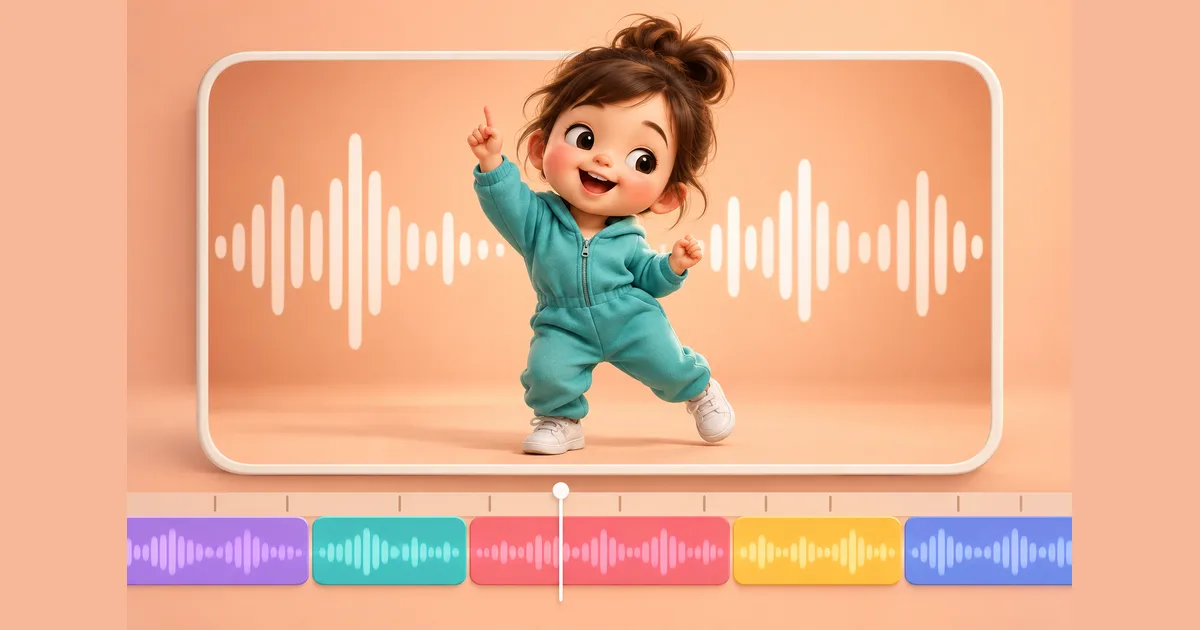
AI Baby Dance Video CapCut Tutorial - Add Music & Effects 2026
You've created an adorable AI baby dance video. Now what? This tutorial shows you how to use CapCut to add trending music, effects, and finishing touches that will make your video go viral!
Why Use CapCut for AI Baby Dance Videos?
AI baby dance generators create the animation, but they typically export without sound. CapCut is the perfect companion tool because:
- Free to Use: Full-featured with no subscription required
- TikTok Integration: Built by ByteDance, optimized for TikTok
- Trending Sounds: Access massive music library
- Easy Effects: One-tap filters and effects
- Mobile & Desktop: Edit anywhere
What You'll Need
Before starting, make sure you have:
- ✅ Your AI baby dance video (from AIKissVideo or similar)
- ✅ CapCut app (iOS, Android, or desktop)
- ✅ A song or sound in mind (we'll find trending ones)
Complete CapCut Tutorial for AI Baby Dance Videos
Step 1: Import Your AI Baby Dance Video
On Mobile:
- Open CapCut
- Tap "New Project"
- Select your AI baby dance video from gallery
- Tap "Add" to start editing
On Desktop:
- Open CapCut
- Click "Create project"
- Click "Import" and select your video
- Drag video to timeline
Step 2: Add Trending Music
This is the most important step for viral potential!
Finding Trending Baby Dance Sounds
Method 1: CapCut's Music Library
- Tap "Audio" at bottom
- Tap "Sounds"
- Search "baby dance" or browse "Trending"
- Preview sounds by tapping
- Tap "+" to add to timeline
Method 2: TikTok Viral Sounds
- Browse TikTok for trending baby dance videos
- Note the sound name
- Search in CapCut's library
- Or save the sound to use directly
Top Trending Sounds for Baby Dance (2026):
| Sound/Song | Vibe | Best For |
|---|---|---|
| "Baby Shark" remix | Fun, upbeat | Family audience |
| "Cute Baby" trending | Sweet, gentle | Heartwarming shares |
| "Dance Monkey" | Energetic | Viral potential |
| "Cooking Dance" | Trendy, fun | TikTok FYP |
| Original sounds | Various | Platform-specific trends |
Timing the Music
- Position audio clip on timeline
- Align beat drops with dance movements
- Trim audio to match video length
- Adjust volume (keep music at 70-80%)
Step 3: Apply Filters and Effects
Make your baby dance video pop with these enhancements:
Recommended Filters
| Filter Type | Effect | When to Use |
|---|---|---|
| Warm | Golden, cozy feel | Indoor videos |
| Bright | Clean, vivid | Outdoor shots |
| Film | Vintage aesthetic | Nostalgic feel |
| Natural | Subtle enhancement | Most videos |
How to Apply:
- Tap "Filters" at bottom
- Browse categories
- Tap filter to preview
- Adjust intensity slider (40-60% recommended)
- Tap checkmark to apply
Fun Effects for Baby Dance
Stickers:
- Tap "Stickers"
- Search "baby" or "cute"
- Add hearts, stars, or musical notes
- Position around dancing baby
- Adjust timing and duration
Text Overlays:
- Tap "Text"
- Add captions like "When the beat drops 🎵"
- Choose fun fonts
- Animate text entry/exit
Step 4: Add Transitions (For Multiple Clips)
If combining multiple baby dance clips:
- Tap between clips on timeline
- Select "Transition"
- Choose smooth options like:
- Fade
- Zoom
- Slide
- Set duration (0.3-0.5s works best)
Step 5: Speed Adjustments
Match dancing to music beats perfectly:
Speed Up Sections
- Select video clip
- Tap "Speed"
- Choose "Normal" tab
- Slide right to increase speed
- Great for energetic parts
Slow Motion
- Select video clip
- Tap "Speed"
- Slide left to slow down
- Perfect for cute moments
Speed Curve (Advanced)
- Tap "Curve" in Speed menu
- Choose preset or customize
- Creates dynamic speed changes
- Matches beat drops perfectly
Step 6: Export Settings for Maximum Quality
Optimal Export Settings:
| Setting | Recommended Value |
|---|---|
| Resolution | 1080p |
| Frame Rate | 30fps |
| Quality | High |
| Format | MP4 |
How to Export:
- Tap "Export" (top right)
- Select 1080p resolution
- Choose 30fps frame rate
- Tap "Export"
- Save to device
Step 7: Post to Social Media
TikTok Posting Tips
- Upload from CapCut directly to TikTok
- Add extra trending sounds in TikTok if needed
- Write engaging caption
- Add hashtags: #babydance #aibabydance #fyp
- Post during peak hours (7-9 PM)
Instagram Reels Tips
- Export in 9:16 vertical ratio
- Upload to Instagram Reels
- Use Instagram's music library for additional reach
- Add location and hashtags
- Share to Story for extra visibility
Advanced CapCut Techniques
Technique 1: Beat Sync
Make dance movements match music perfectly:
- Enable "Beat" feature in audio
- AI detects beat drops
- Add markers at key moments
- Cut/speed video to match markers
Technique 2: Green Screen Background
Change the background of your baby dance:
- Tap "Effects"
- Search "Chroma Key"
- Adjust to remove original background
- Add new background from CapCut library
Technique 3: Split Screen
Show multiple baby dance clips:
- Tap "Overlay"
- Add second video
- Resize and position
- Create side-by-side or grid views
Technique 4: Trending Templates
Use CapCut's viral templates:
- Tap "Templates" on home screen
- Search "baby dance"
- Select trending template
- Replace footage with your video
- Export with professional effects already applied
Troubleshooting Common Issues
Audio Doesn't Sync
Solution:
- Manually adjust audio position
- Use speed curve for precise timing
- Cut video into segments if needed
Video Quality Looks Bad
Solution:
- Use original AI video, not screenshot
- Export at 1080p minimum
- Avoid multiple re-exports
Effects Make Video Look Unnatural
Solution:
- Reduce filter intensity
- Use subtle effects only
- Keep focus on the baby
File Size Too Large
Solution:
- Reduce resolution to 720p
- Shorten video length
- Use lower bitrate export
Sample Workflow: Start to Finish
Here's a complete workflow example:
1. Create AI Baby Dance (AIKissVideo)
- Upload baby photo
- Download generated video
2. Import to CapCut
- Create new project
- Add video to timeline
3. Add Music
- Find trending sound
- Position and trim
- Adjust volume
4. Enhance
- Apply warm filter (50%)
- Add cute stickers
- Insert text caption
5. Fine-tune
- Adjust speed for beat sync
- Add transitions if multiple clips
- Preview full video
6. Export & Share
- Export at 1080p/30fps
- Post to TikTok/Instagram
- Add hashtags and caption
Total time: 10-15 minutes
Best Practices Summary
Do:
- ✅ Use trending sounds for algorithm boost
- ✅ Keep videos under 30 seconds
- ✅ Add subtle, tasteful effects
- ✅ Export at highest quality
- ✅ Post during peak hours
Don't:
- ❌ Over-edit with too many effects
- ❌ Use copyrighted music without rights
- ❌ Export at low quality
- ❌ Ignore audio-visual sync
- ❌ Forget hashtags when posting
Conclusion
CapCut is the perfect companion for your AI baby dance videos. With trending music, subtle effects, and proper export settings, you can transform a simple dancing animation into viral-worthy content.
Your Action Plan:
- Create your AI baby dance video at AIKissVideo.app
- Download CapCut (free)
- Follow this tutorial step-by-step
- Post your enhanced video
- Watch the likes roll in!
Ready to create? Start with your AI baby dance video, then come back here to make it perfect with CapCut!